


User Application Manual |
||||||||||||||||||||
|
1. Controls on application start window. If you want to start data request select your time period first. 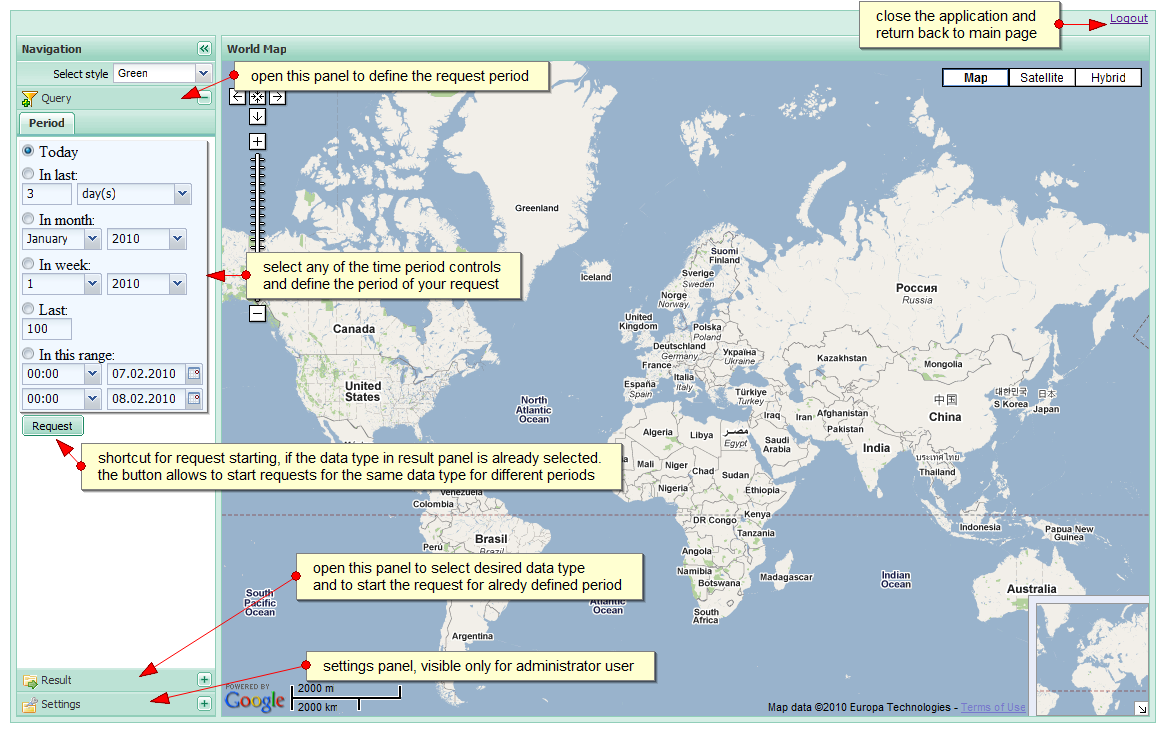
|
||||||||||||||||||||
|
2. Start data request 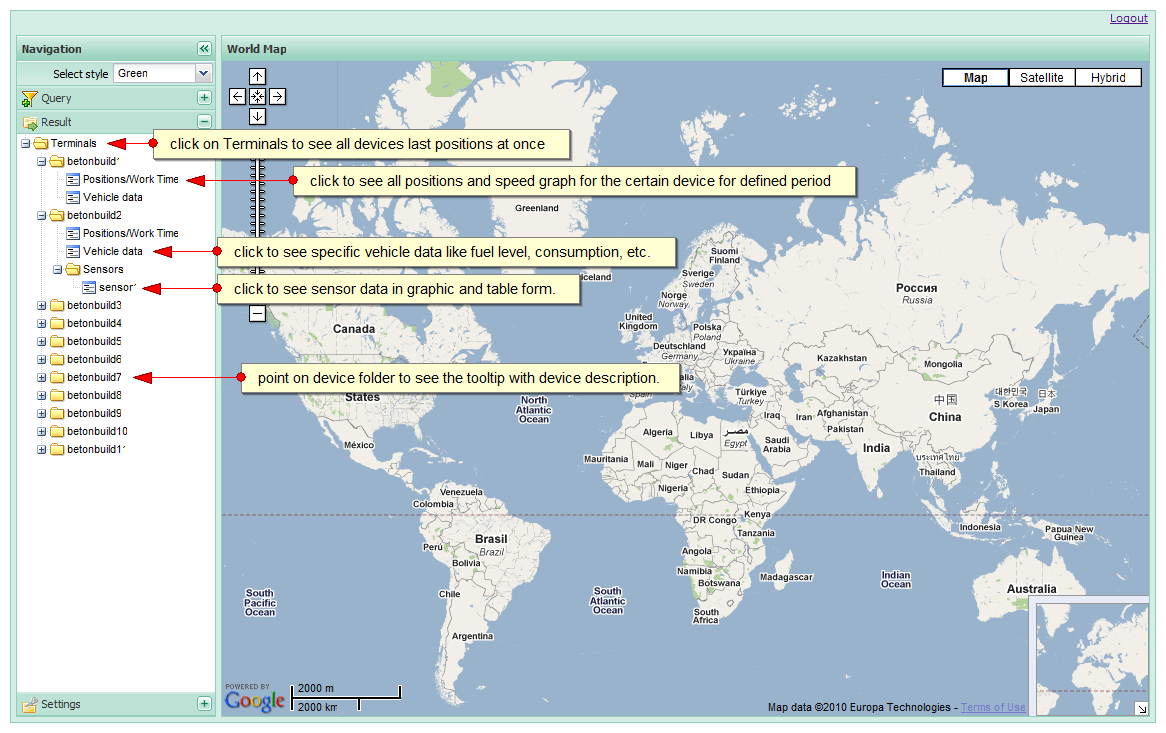
|
||||||||||||||||||||
|
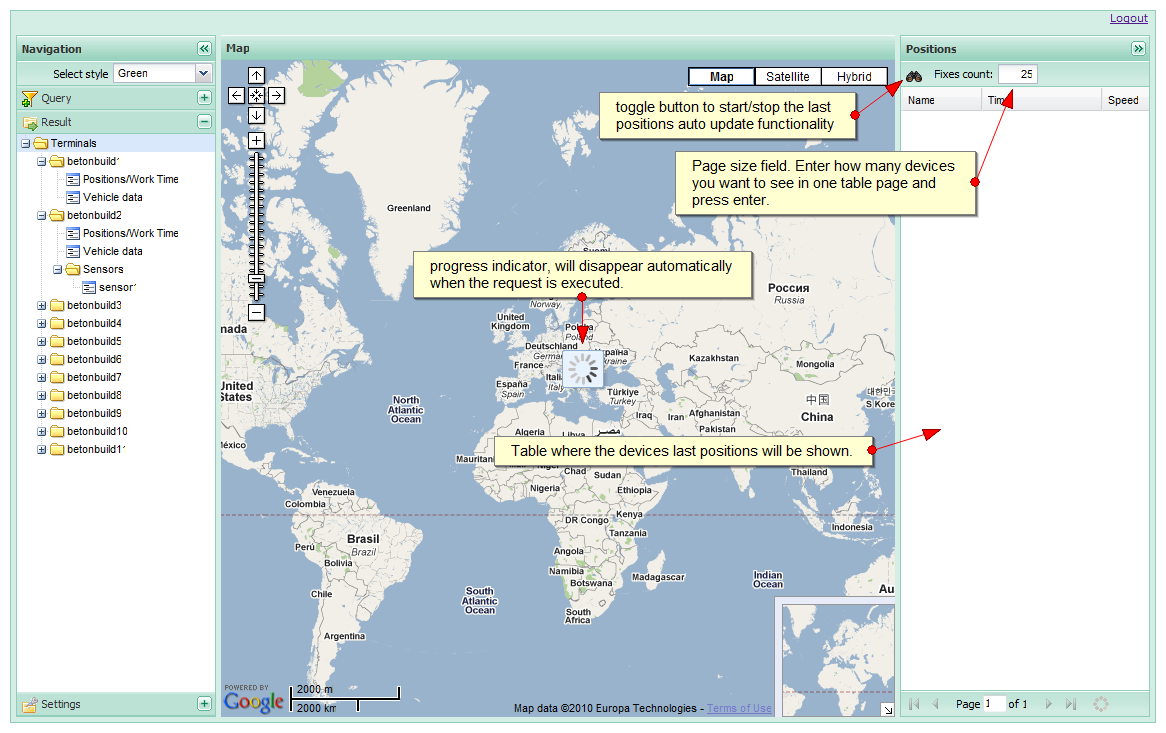
3. Select Terminals folder to see all devices last positions on one map |
||||||||||||||||||||
|
||||||||||||||||||||
|
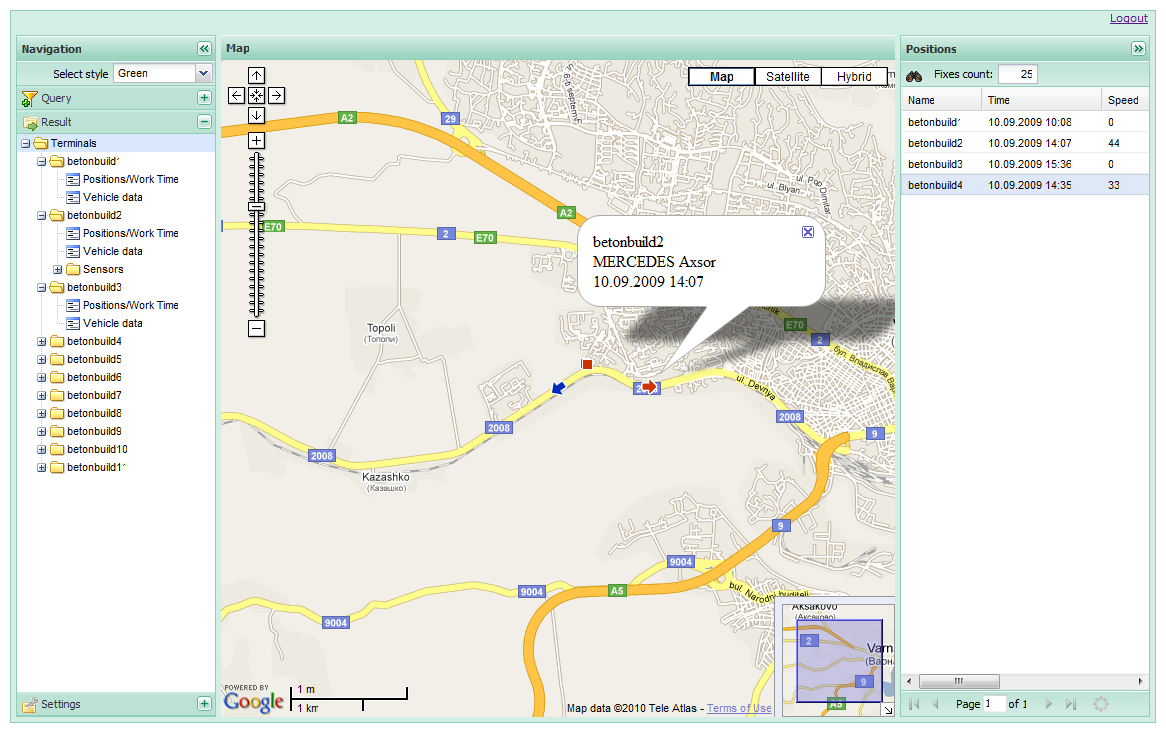
4. Last positions view and real time tracking
|
||||||||||||||||||||
|
||||||||||||||||||||
|
5. Device positions visualisation 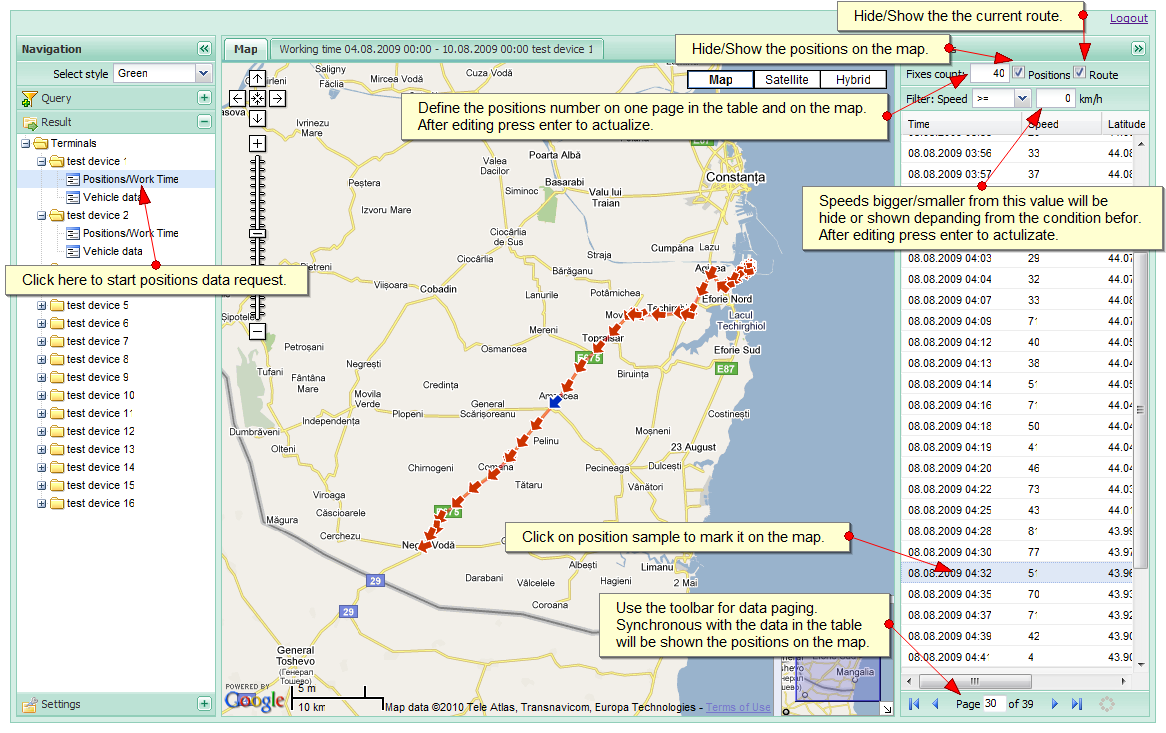
|
||||||||||||||||||||
|
6. Working time report and request summarized information 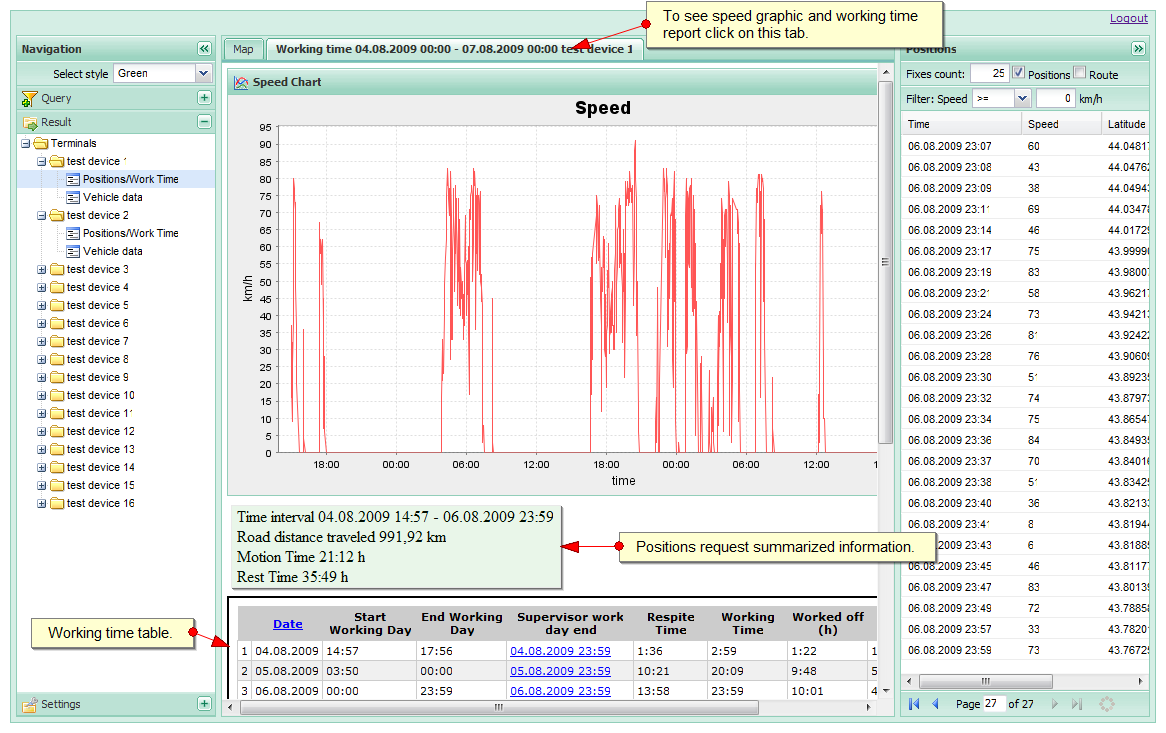
|
||||||||||||||||||||
|
7. Vehicle data view 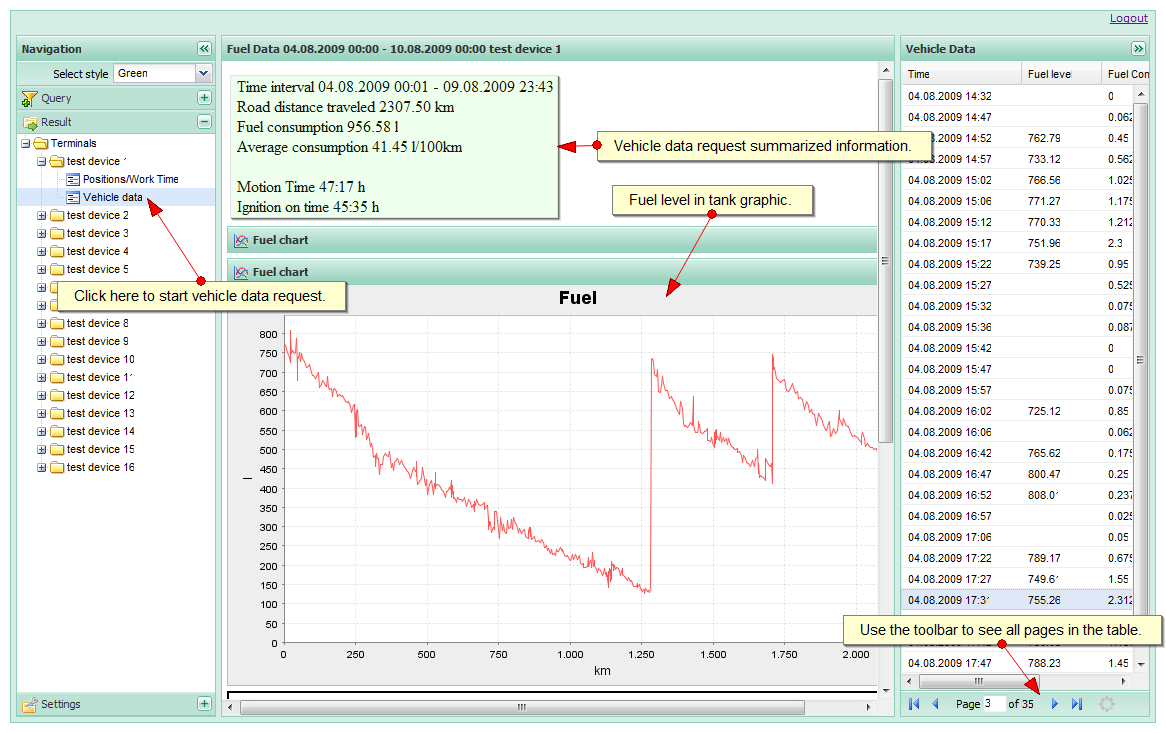
|
||||||||||||||||||||
|
8. Sensor data visualization. 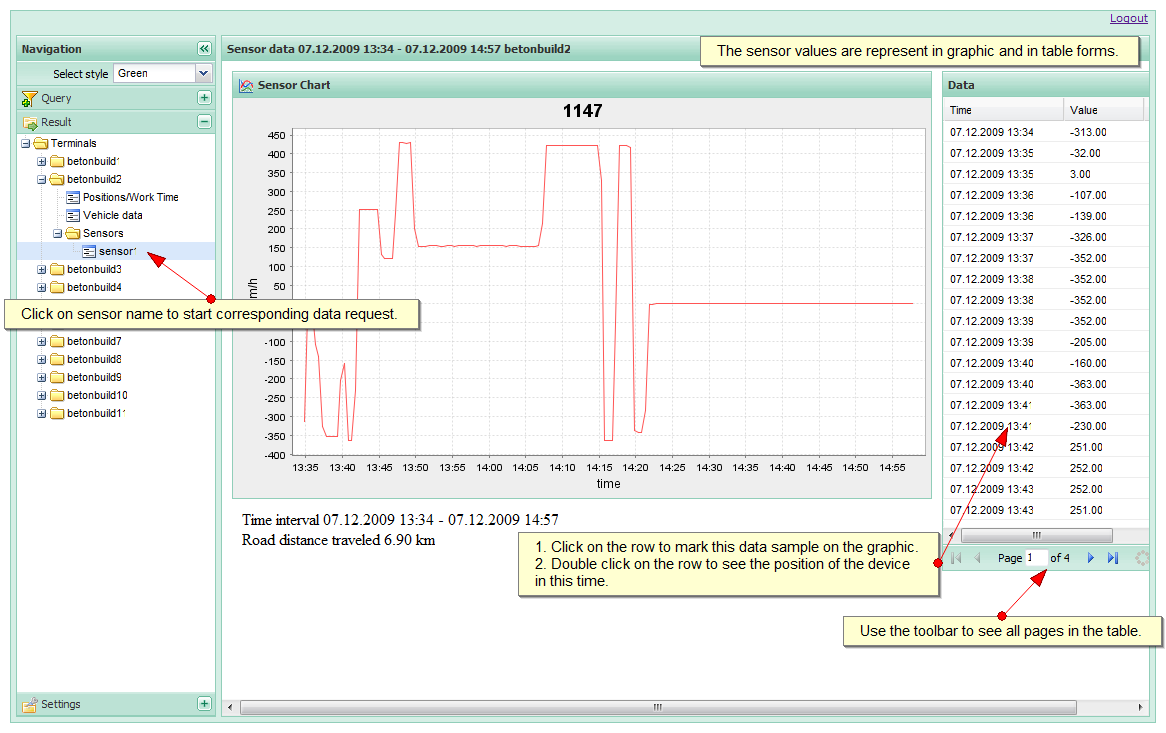
|
||||||||||||||||||||
|
9. User settings 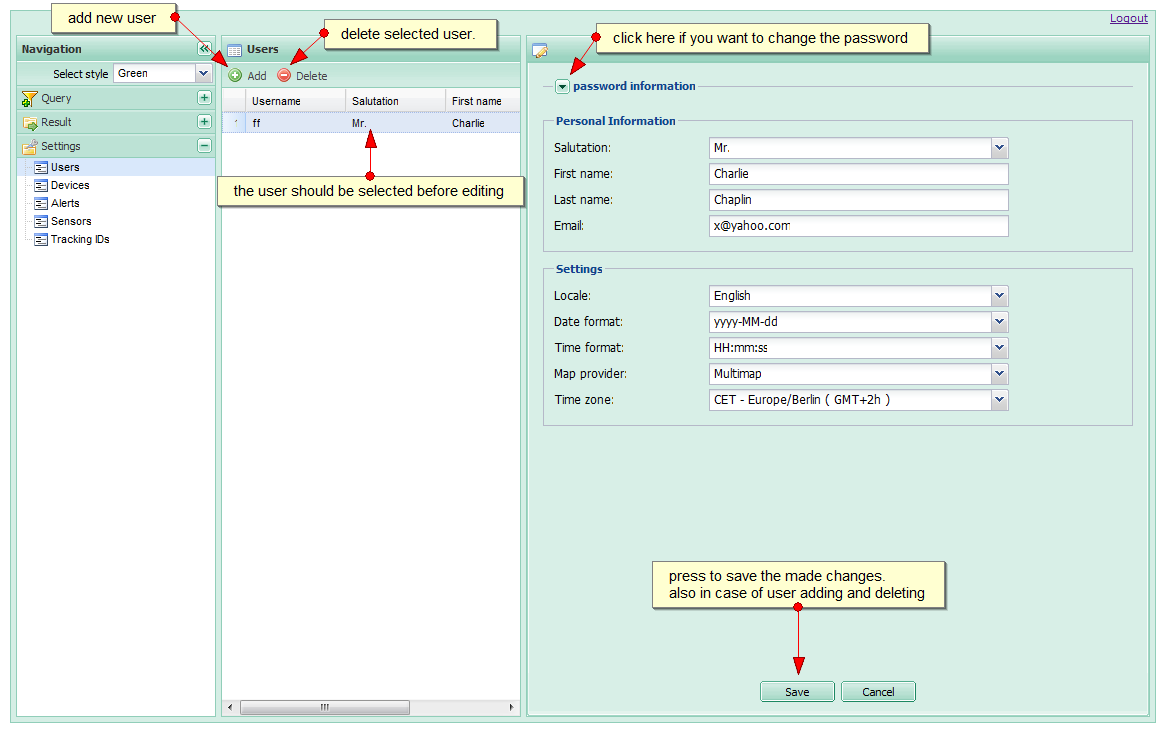
|
||||||||||||||||||||
|
10. Device settings (terminals) 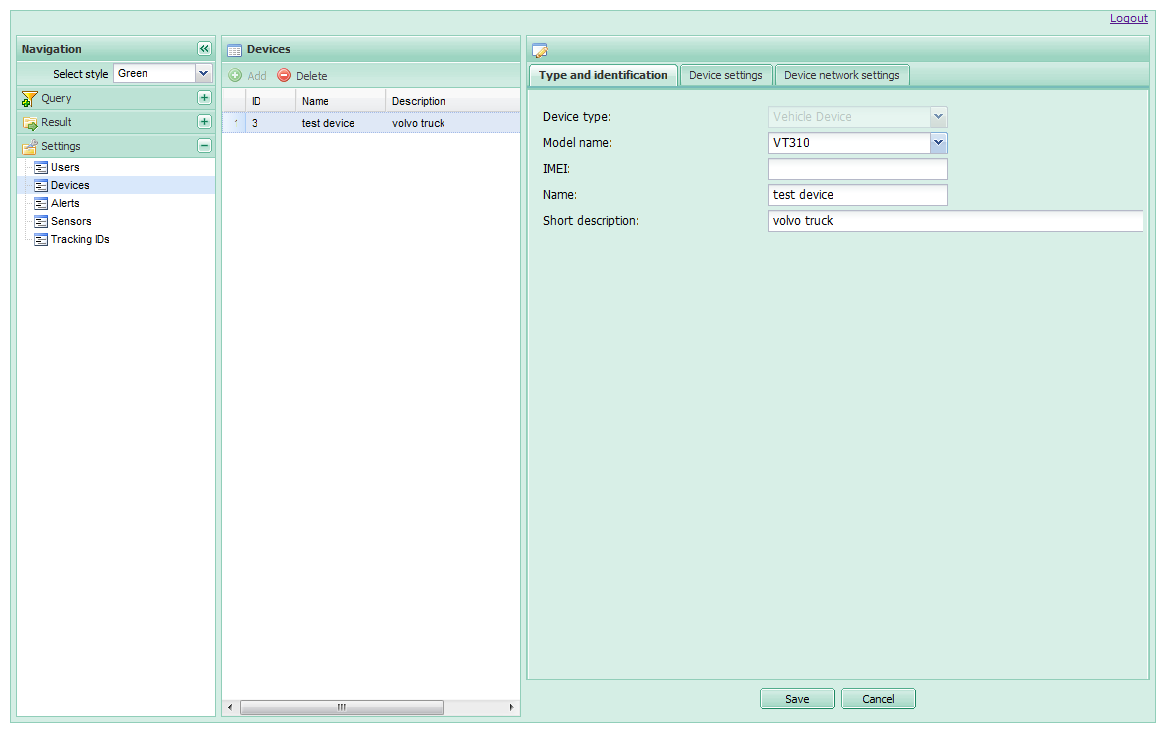
|
||||||||||||||||||||
|
11. Alerts settings 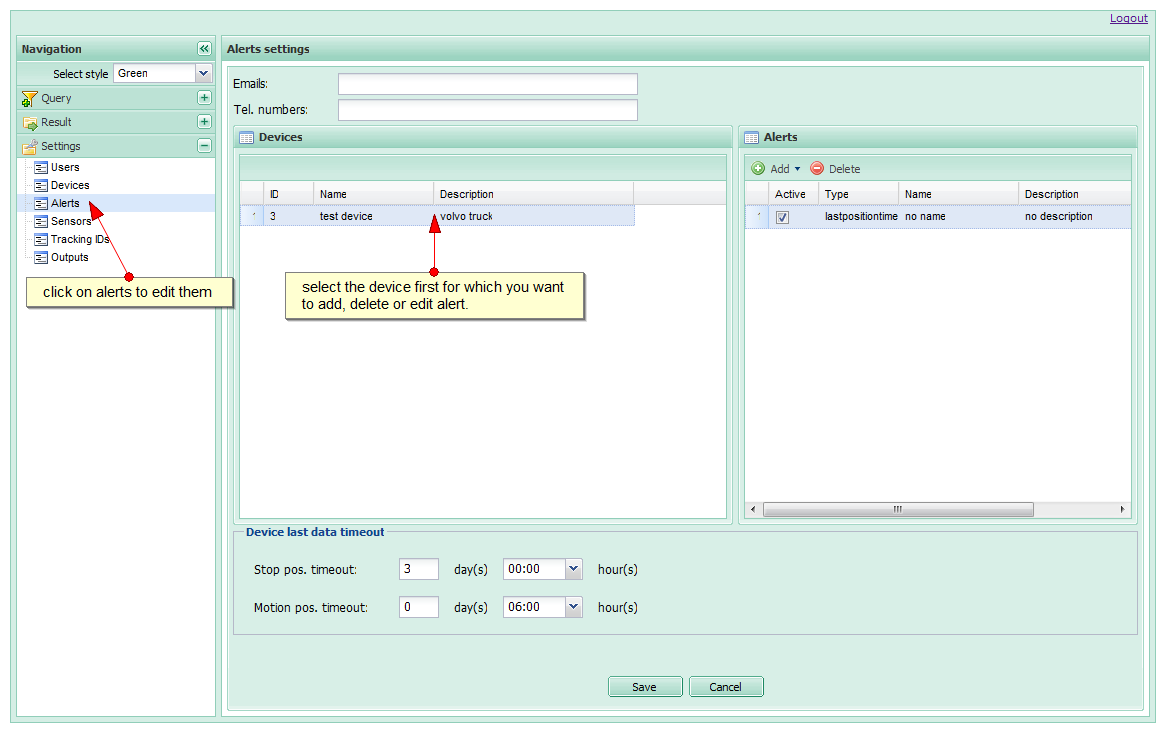
|
||||||||||||||||||||
|
12. Sensor settings 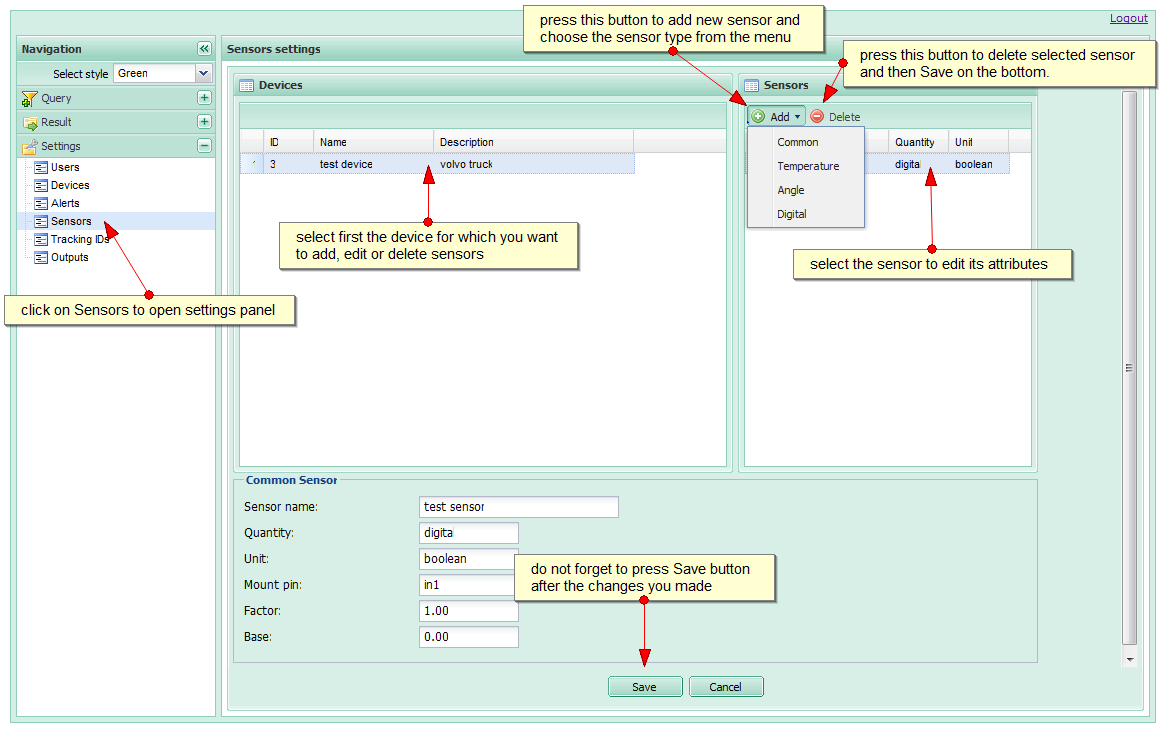
|
||||||||||||||||||||
|
13. Tracking keys settings 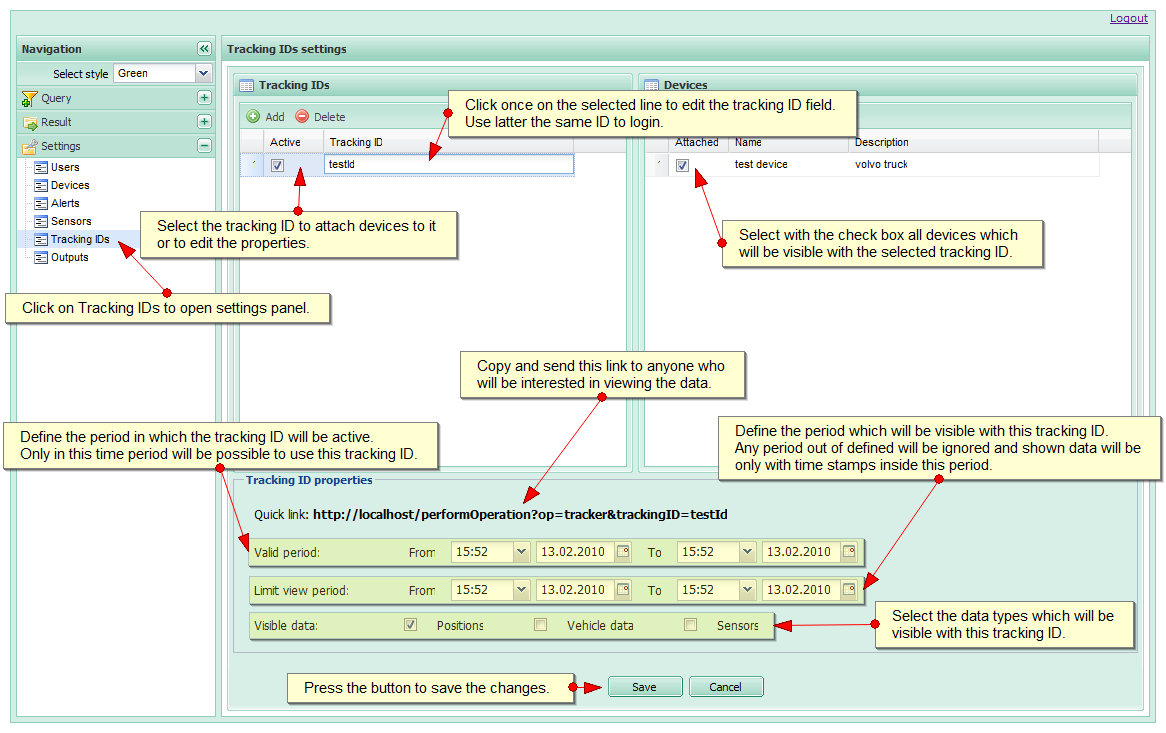
|
||||||||||||||||||||
|
14. Device outputs control. 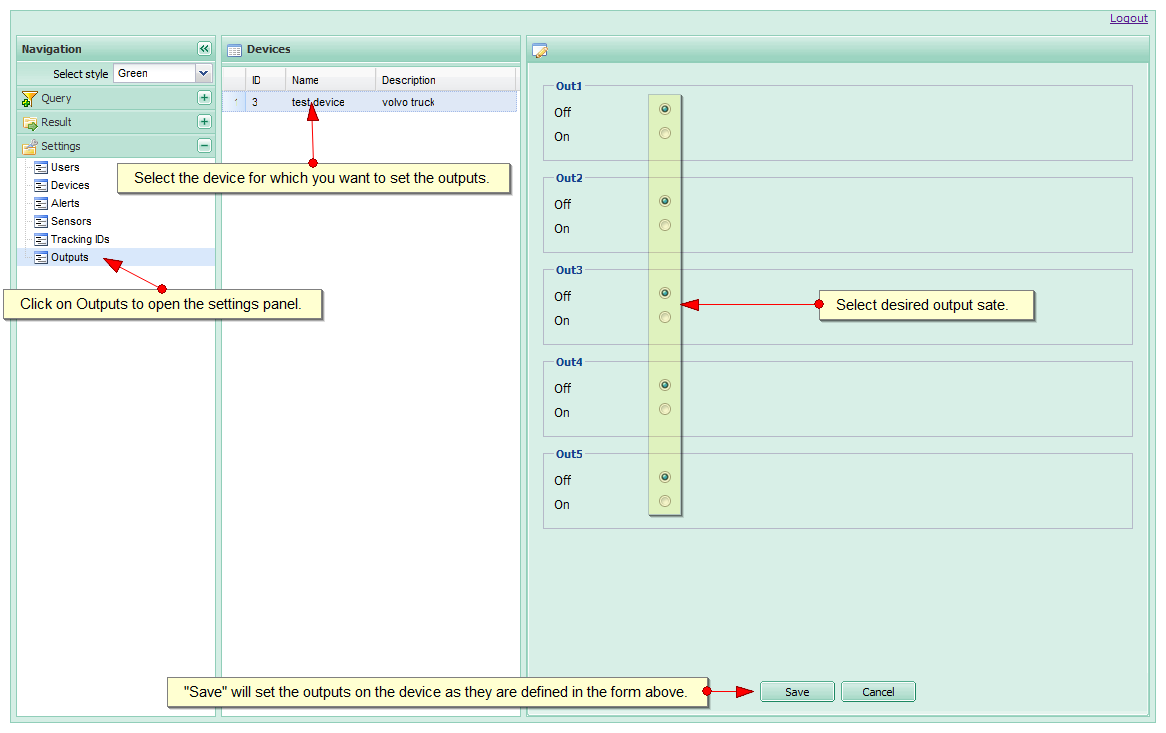
|
||||||||||||||||||||
|
|
||

© GeoTrack24.com. All Rights Reserved.
Terms of Use and Service |
Privacy Policy
|
 Position in the movement.
 Currently moving object.
 Selected positions.
 Stop position.
 Just stopped object.
 Selected stop position.


 Position with unknown speed and direction, in case when the GPS signal is too week.